
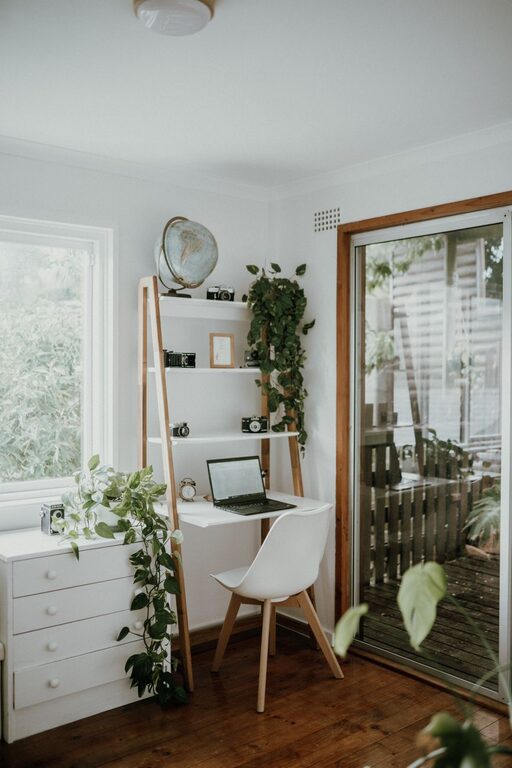
Creating a cozy and inviting home office space can transform the way you work. Whether you spend a few hours a week or a full workday at home, having a dedicated area that feels comfortable and inspiring makes a big difference. Here are some practical tips to help you design a home office that’s both functional and welcoming.
Choose the Right Location
Selecting the right spot for your home office is the foundation for comfort and productivity.
– Natural light: Position your desk near a window if possible. Natural light can boost your mood and help reduce eye strain.
– Quiet area: Choose a space away from household noise and distractions to maintain focus.
– Adequate size: Make sure there’s enough room for your desk, chair, and storage without feeling cramped.
Invest in Comfortable Furniture
Comfort is key when spending hours at your desk.
– Ergonomic chair: A good chair supports your back and encourages proper posture. Adjustable chairs allow you to customize height and tilt.
– Functional desk: Choose a desk that fits your needs—consider the surface area for your computer, documents, and other essentials.
– Additional seating: If space allows, include a small sofa or armchair for informal work or reading breaks.
Personalize with Warm Decor
Adding personal touches makes your office inviting and uniquely yours.
– Soft textiles: Use throw pillows or a cozy blanket to add warmth and texture.
– Area rugs: Rugs can define the space and provide comfort underfoot, especially on hardwood or tile floors.
– Plants: Greenery brings life to a room. Choose low-maintenance plants like succulents or snake plants.
– Artwork and photos: Surround yourself with art or photos that inspire and calm you.
Optimize Lighting for Comfort
Lighting affects both mood and productivity.
– Layered lighting: Combine ambient lighting with task lighting. A bright ceiling light paired with a focused desk lamp works well.
– Avoid glare: Adjust your computer screen and lamp placement to prevent glare.
– Warm tones: Opt for warm-white bulbs to create a cozy atmosphere, especially if you work in the evenings.
Keep It Organized and Clutter-Free
An organized space helps reduce stress and distractions.
– Storage solutions: Use shelves, filing cabinets, or baskets to keep supplies tidy.
– Desk organizers: Keep pens, papers, and other essentials within reach but neatly stored.
– Daily tidying habit: Spend a few minutes at the end of each day to clear your desk.
Incorporate Technology Thoughtfully
Tech plays a big role in home offices, but it shouldn’t dominate the space.
– Cable management: Use clips, sleeves, or boxes to keep cords tidy and out of sight.
– Useful accessories: Consider items like a wireless keyboard, mouse, or headset for convenience.
– Sound control: Noise-canceling headphones or a white noise machine can enhance concentration.
Enhance Comfort with Temperature Control
A comfortable temperature helps you stay productive.
– Ventilation: Make sure the space has fresh air circulation.
– Portable options: Use a fan or space heater to adjust to your comfort level.
– Window treatments: Curtains or blinds can help regulate sunlight and temperature.
Create Zones for Different Activities
Having separate areas can support varied tasks.
– Work zone: Your desk and main computer setup.
– Reading or brainstorming nook: A comfy chair with good lighting.
– Storage zone: Shelves or cabinets for supplies and files.
Maintain Work-Life Balance
Set boundaries to keep work and relaxation separate.
– Defined space: Use furniture placement or room dividers to distinguish your office.
– End-of-day routine: Establish a habit of shutting down your workspace at the end of the day.
—
By applying these tips, you can build a home office that’s not only practical but a comfortable and welcoming place to work each day. A cozy environment encourages productivity, creativity, and well-being — making your work-from-home experience much more enjoyable.
